After the Firebase Dynamic Links shutdown: what transfers, what doesn't, and the cutover order
page.link is gone; a custom domain you owned can be reused. What survives the Firebase Dynamic Links shutdown, and the cutover order that avoids an outage.
Firebase Dynamic Links shut down on 25 August 2025. Firebase's FAQ is blunt about the result: every link returns an HTTP 404, whether it was served from a page.link subdomain or a custom domain you owned. If your app still ships the Firebase Dynamic Links SDK, its handlers are waiting for links that will never resolve.
Most teams have dealt with the obvious part: stop creating links, pick a replacement, swap the SDK. The harder questions are what to do with the domain you used, the links already out in old emails and printed material, and the reporting that used to flow through Firebase.
“page.link subdomains are gone permanently. Custom domains you controlled can be reused with a new provider, but Firebase's link data doesn't come with them. Old links on those domains can be recovered if you know what they pointed to. Firebase's reporting history is gone.”
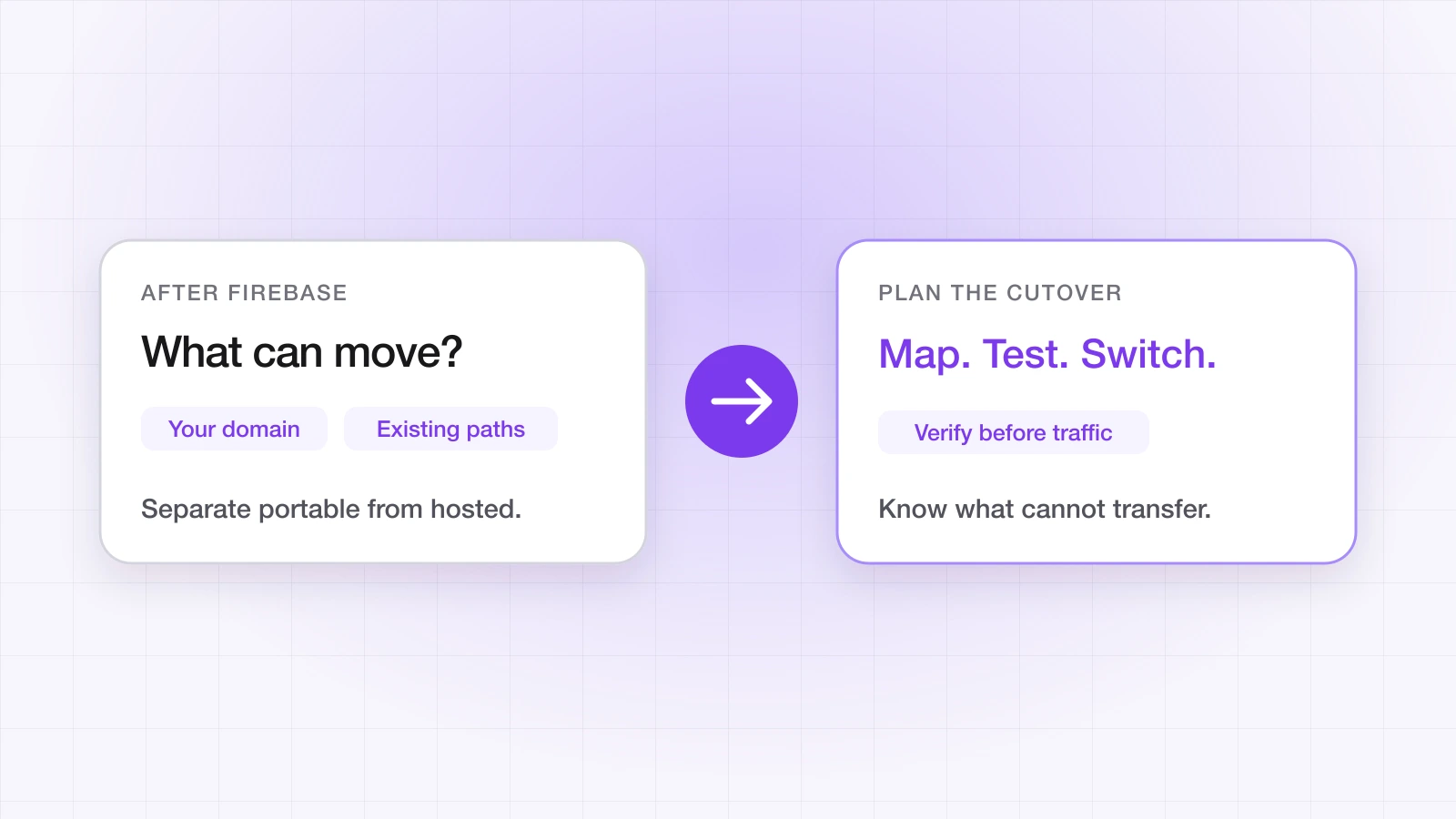
What transfers and what doesn't?
| Item | Status | Notes |
|---|---|---|
| page.link subdomains | Gone permanently | Google-owned and decommissioned; they can't be repointed. |
| Custom domains you owned | Reusable | The DNS is yours — point it at your new provider. |
| Link destinations | Must be recreated | Firebase stored them; its domain and link metadata was marked for deletion at shutdown. |
| Deep link and deferred routing | Must be rebuilt | Your new provider and SDK handle this. |
| Firebase link analytics | Not recoverable | The analytics API stopped working at shutdown. |
| iOS Associated Domains | Update if the domain changes | Keep the entry if you reuse the same domain. |
| Android intent filters | Update if the host changes | Keep the host if you reuse the same domain. |
What reusing your custom domain actually means
If you served links from go.yourapp.com, you can point that domain at a new provider — it's yours. What you can't get back are the short links Firebase generated on it, because the mapping from each path to its destination lived in Firebase.
What you can recover: any link where you know both the path and where it pointed. Recreate it with the same path, and once DNS points at the new provider, the old URL works again — including on printed QR codes and in old emails.
What you can't: links you have no record of. If the mapping wasn't exported before the shutdown and isn't in your code, your email templates or your marketing files, those specific links stay dead.
What order should the cutover happen in?
Order matters. Switching DNS before the app can handle the new setup — or removing the SDK before the new one is live — creates a window where links open the browser or land nowhere.
Step 1: Ship an app update for the new setup
Before touching DNS, release an app build that handles links through your new provider's SDK. If you're reusing the same custom domain, the Associated Domains entry and Android intent filter for that host stay as they are — what changes is who serves the association files for it. If you're moving to a new domain, add it:
// iOS — Signing & Capabilities → Associated Domains
applinks:go.yourapp.com        // keep, if you're reusing the domain
applinks:yourapp.linktrail.io  // add, if you're moving to a new link domain
<!-- Android — AndroidManifest.xml -->
<intent-filter android:autoVerify="true">
<action android:name="android.intent.action.VIEW" />
<category android:name="android.intent.category.DEFAULT" />
<category android:name="android.intent.category.BROWSABLE" />
<data android:scheme="https" android:host="go.yourapp.com" />
</intent-filter>Give the update time to reach most of your active users — a forced update, or a grace period of a week or two — before you change anything else.
Step 2: Recreate your links
Before DNS moves, recreate every link you know about, using the same paths so old URLs resolve the moment the domain switches. Start with the links people are still tapping:
- Links in live email campaigns and push templates
- Links in your App Store and Play Store listings
- QR codes on packaging, posters and other printed material
- Referral and invite links with active users
Step 3: Point DNS at the new provider
With the app update out and links recreated, change the DNS record for your custom domain to the one your new provider gives you, and remove any old Firebase Hosting records for that hostname. On LinkTrail, add the domain under Domains in the dashboard and point its DNS as instructed there; custom domains are a Growth-plan feature, and LinkTrail then generates and hosts the apple-app-site-association and assetlinks.json files for it. DNS changes usually take effect within minutes, occasionally longer.
Step 4: Remove the Firebase Dynamic Links SDK
- iOS: remove FirebaseDynamicLinks from your Swift Package or Podfile, and delete the
handleUniversalLinkanddynamicLink(fromCustomSchemeURL:)calls. - Android: remove the firebase-dynamic-links dependency from Gradle, and delete the
getDynamicLink(intent)calls. - React Native: uninstall @react-native-firebase/dynamic-links, and delete the
getInitialLink()andonLink()calls. - Flutter: remove firebase_dynamic_links, and delete the
getInitialLink()andonLinklisteners.
“App update first, links second, DNS third, SDK removal last. Reversing any of those steps opens a window where links resolve to a setup the installed app can't handle.”
Then verify
Once DNS has switched, check the association files your domain now serves with the Universal Links validator, and tap a few recreated links on a clean install on each platform. The DNS change itself is quick; the inventory and the verification are where the time goes.
For the SDK swap on each platform and a parameter-by-parameter mapping, see the Firebase Dynamic Links migration guide in the docs, and the migration overview for what the shutdown removed.
Ahsan Ali
Writes about deep linking & attribution
Ahsan Ali works with the teams integrating LinkTrail's iOS, Android, React Native, and Flutter SDKs, which is where most of what he writes here starts: deferred deep linking, install attribution after ATT, and the parts of the mobile growth stack the category tends to leave vague.