Most teams end up maintaining a spreadsheet of links: one for the iOS store, one for Android, a web fallback, a different one for the QR code on the poster. Every campaign multiplies them. It's brittle, and it's where tracking parameters go to get mangled.
The fragmentation problem
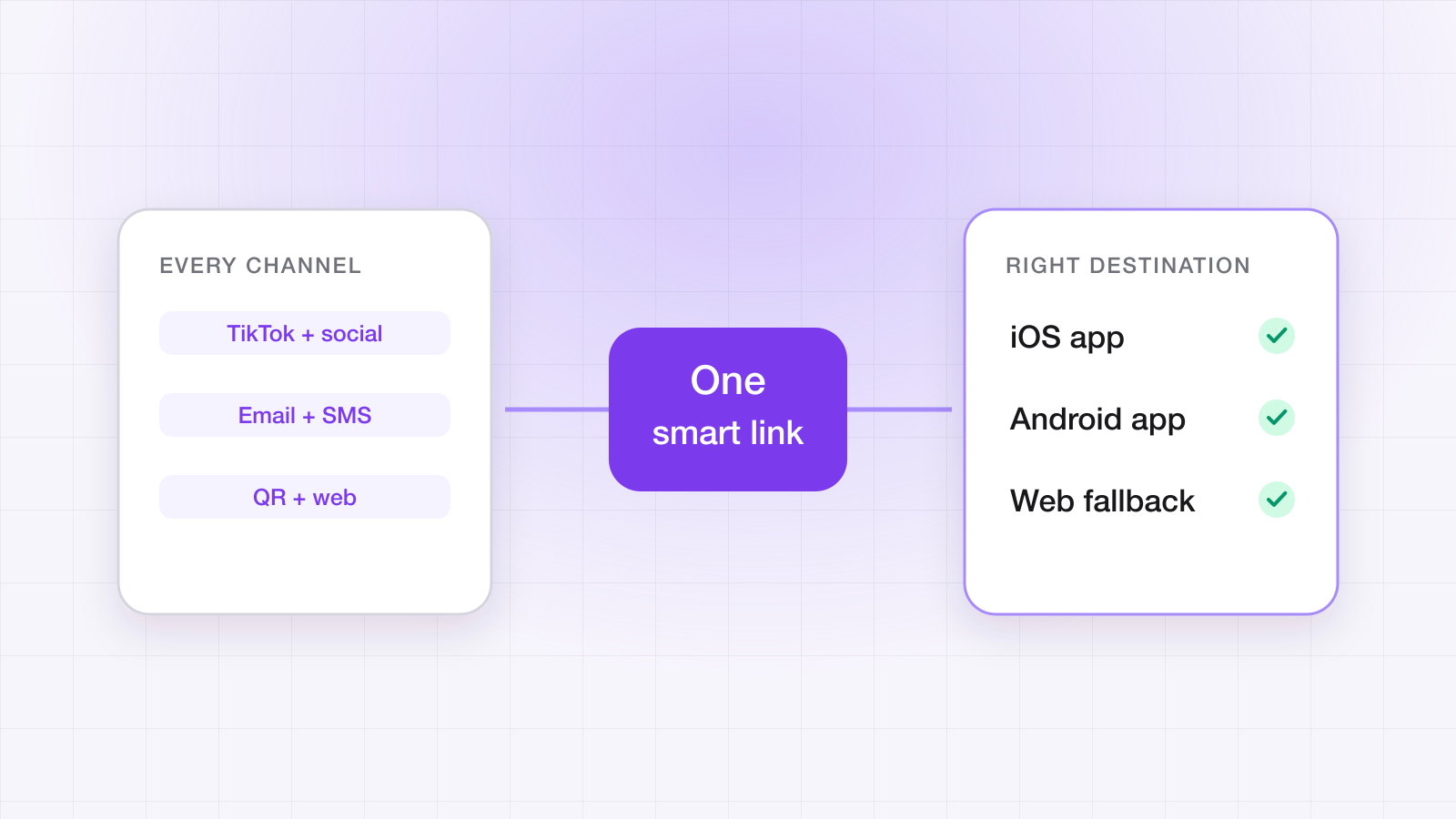
A user might meet your campaign on an iPhone in TikTok, on an Android in email, or on a laptop. The destination is the same idea — 'this offer' — but the right next step depends entirely on the device. Hard-coding that into separate links means every channel is a place to make a mistake.
Let the link decide
A smart link inspects the device that opened it and routes accordingly. You configure the destinations once — per link or as a domain default — and ship a single URL everywhere.
{
  "ios": "https://apps.apple.com/app/id000000000",
  "android": "https://play.google.com/store/apps/details?id=com.example.app",
  "fallback": "https://example.com/get-the-app"
}
Resolution order
- App installed and domain verified — the OS opens the app directly to the deep link.
- Mobile without the app — route to the correct store for that platform.
- Desktop or unsupported — show the web fallback (which can still try a custom-scheme open first).
What is a smart link?
A smart link is a single URL that resolves differently depending on what opened it. One address goes on the poster, in the email, and in the bio; the resolver inspects the request and sends an iPhone to the App Store, an Android device to Play, and a laptop to your web page — while carrying the same deep link destination and payload through all three paths.
Why not just use a link shortener?
Because a shortener redirects, and that is all it does. It has no notion of whether your app is installed, cannot open the app directly, cannot carry a payload through an install, and gives you a click count rather than an attributed install. The two products look similar in a URL bar and do fundamentally different jobs.
| Link shortener | Smart link | |
|---|---|---|
| Routes by device | No | Yes — iOS, Android, desktop |
| Opens an installed app directly | No | Yes, via Universal Links / App Links |
| Survives an install | No | Yes — deferred deep linking |
| Reporting | Clicks | Clicks plus attributed installs and match type |
| Hosts association files | No | Yes |
QR is just another channel
A QR code on a poster, receipt, or product is the same smart link rendered as a square. The phone that scans it gets routed by the same logic — no separate 'print link' to keep in sync.
Two things worth getting right in print, because you cannot fix them later. Never point a printed QR code straight at a store URL — you lose the ability to change the destination, and you lose the deferred payload. And keep the underlying link short, because QR density scales with URL length and a long URL prints as a code that phones struggle to scan at distance.
Do smart links work inside in-app browsers?
Mostly, but this is where routing quietly breaks, and it is worth testing per channel. Some social and messaging apps open links in an embedded browser that resolves URLs internally rather than handing them to the operating system, which means the Universal Link never reaches your app even though it is installed.
The mitigation is a fallback page that attempts a custom-scheme open before falling through to the store, which recovers most of these cases. It's also why testing a campaign link by tapping it inside the app your campaign runs in — not by pasting it into Safari — is the only test that reflects reality. Why Universal Links fail in in-app browsers covers how to confirm it and the fixes that work.
Tag per channel without a link per channel
Append a channel parameter to the one link instead of forking it. You keep a single source of truth for routing while still slicing performance by where the tap came from.
https://yourapp.linktrail.io/l/summer?ch=tiktok
https://yourapp.linktrail.io/l/summer?ch=email
https://yourapp.linktrail.io/l/summer?ch=poster-qr
Questions about this post
What is a smart link?
A single URL that resolves differently depending on what opened it: an iPhone goes to the App Store, an Android device to Google Play, a laptop to your web page — and an installed app opens directly — while the same deep link destination and payload travel through every path.
Why not just use a link shortener?
A shortener only redirects. It can't tell whether your app is installed, can't open the app directly, can't carry a payload through an install, and reports clicks rather than attributed installs.
Do smart links work inside in-app browsers?
Mostly. Some social and messaging apps open links in an embedded browser that never hands the URL to the operating system, so the Universal Link doesn't reach your app. A fallback page that tries a custom-scheme open before the store recovers most of these cases — test by tapping the link inside the app your campaign runs in.